
Describe it. Your warehouse rearranges itself.
Inventory and tool tracking for sites, trailers and vans, with an AI assistant that sets everything up from a plain sentence and shows you each change first.
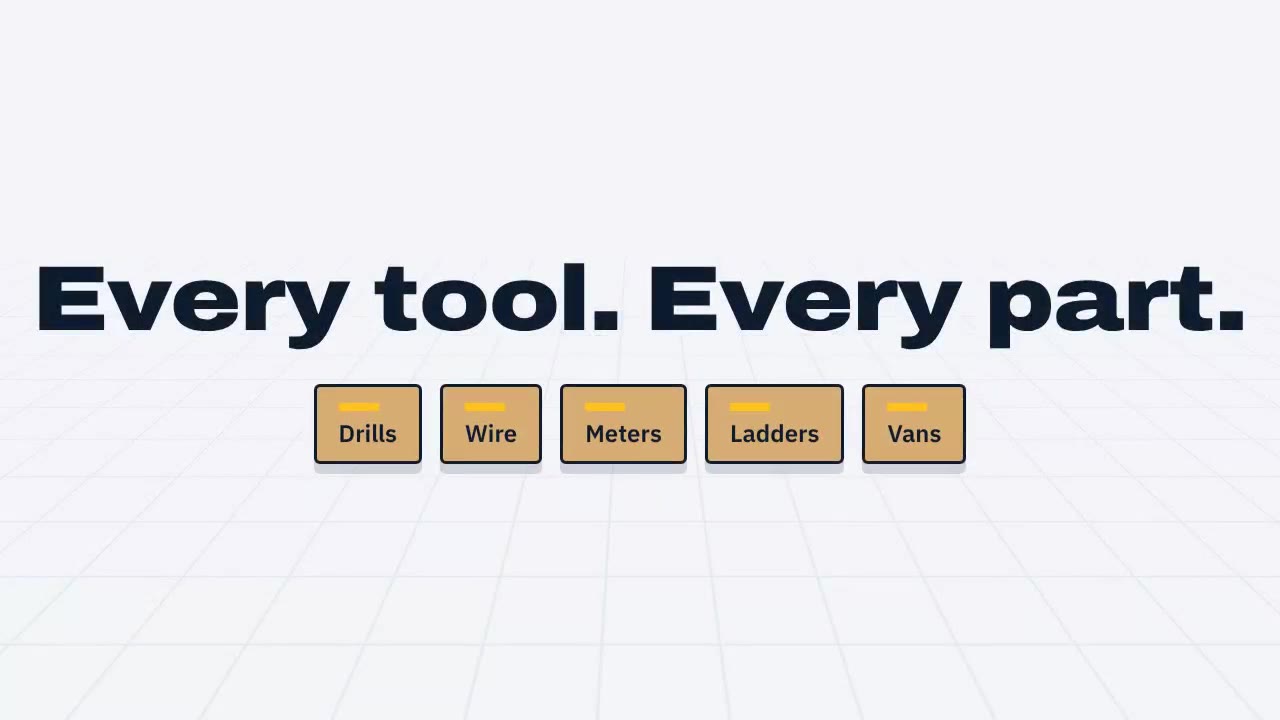 0:36
Watch it. Then try it.
The film shows the whole idea in 35 seconds. The live demo puts you inside a real electrical contractor's warehouse, no signup needed.
- Ask the assistant to add a category or an alert
- Check a drill out to a technician and back
- Count a rack and post the differences
A day on the floor
One electrical contractor, one warehouse, three trailers and six vans. Here's a normal Tuesday in Warehouse Manager, recorded in the real app.
The truck arrives
Luis, warehouse
Every carton gets a QR label as it's received. Scan it later with a USB scanner or the phone camera and the item opens with its location, history and serial.
Crews pick up tools
Marco, field technician
The rotary hammer goes out to Marco for job 2431 with a return date. Anything over the value you set waits for a manager's approval.
Someone asks where the Hilti is
Dana, operations manager
Which tools are overdue and who has them?
The assistant reads live stock and answers with links straight to the items.
One rack gets counted
Luis, warehouse
Count a single bay between deliveries. Differences post as adjustments, with who counted and when.
Alerts, before they're problems
Dana, operations manager
Gloves below minimum, a meter due for calibration, a drill two days late. Rules written in a sentence turn into a short list.
The business changes, the app follows
Dana, operations manager
Add a Ladders category with height in feet and a duty rating. Remind me to inspect them monthly.
A new category, its fields and an inspection rule, applied in one click and undone in one more.
Everything, by where it happens
Pick a part of the building to see what Warehouse Manager does there.
Learn every workflow
Explore step-by-step instructions, worked examples, and narrated tutorials in the complete user guide.
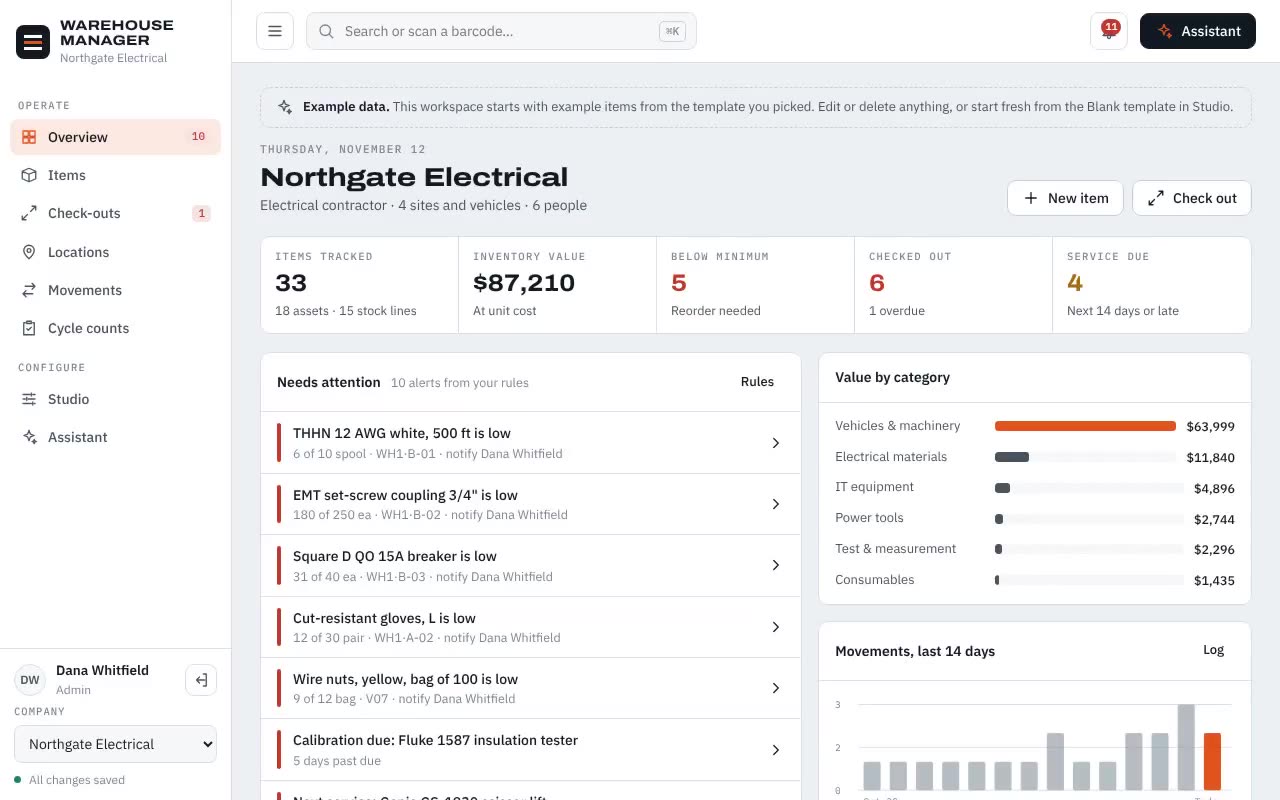
Create the workspace and pick a starting template.
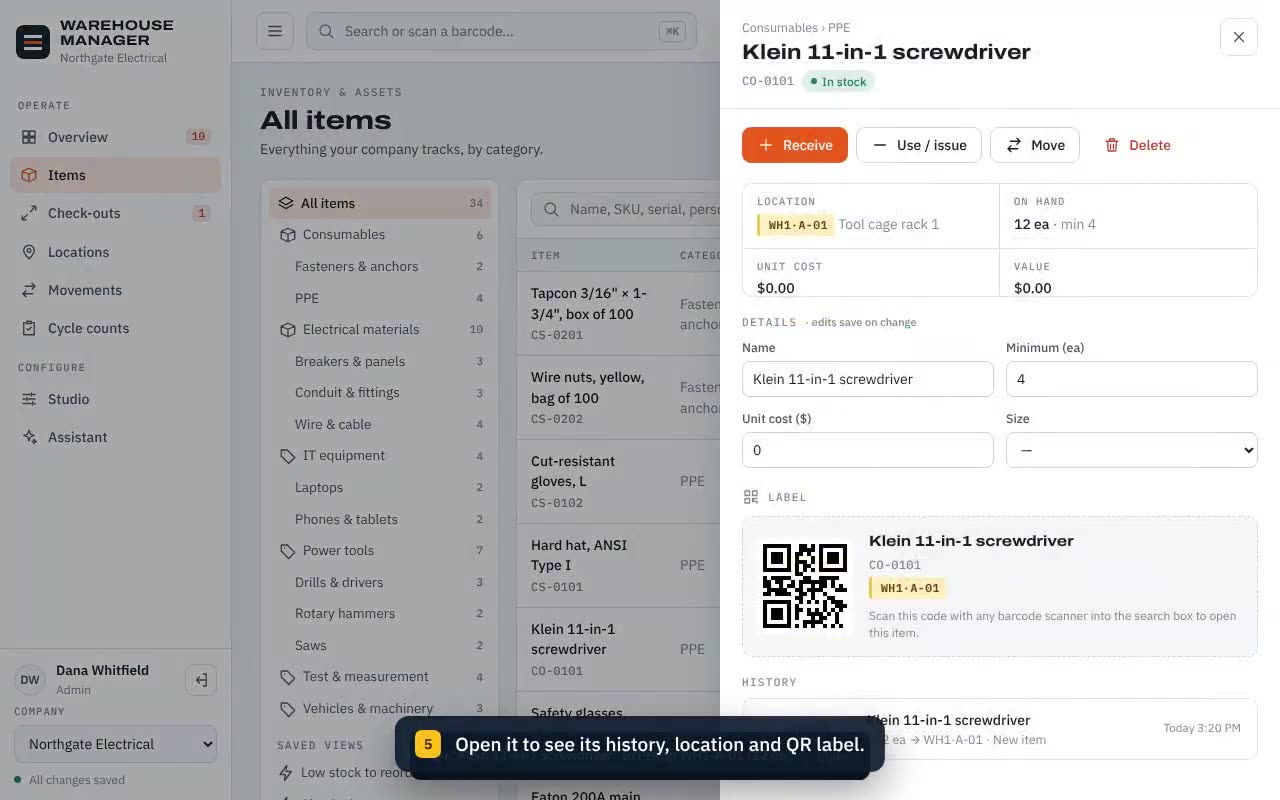
Record a tool or part, set a minimum, and find its QR label.
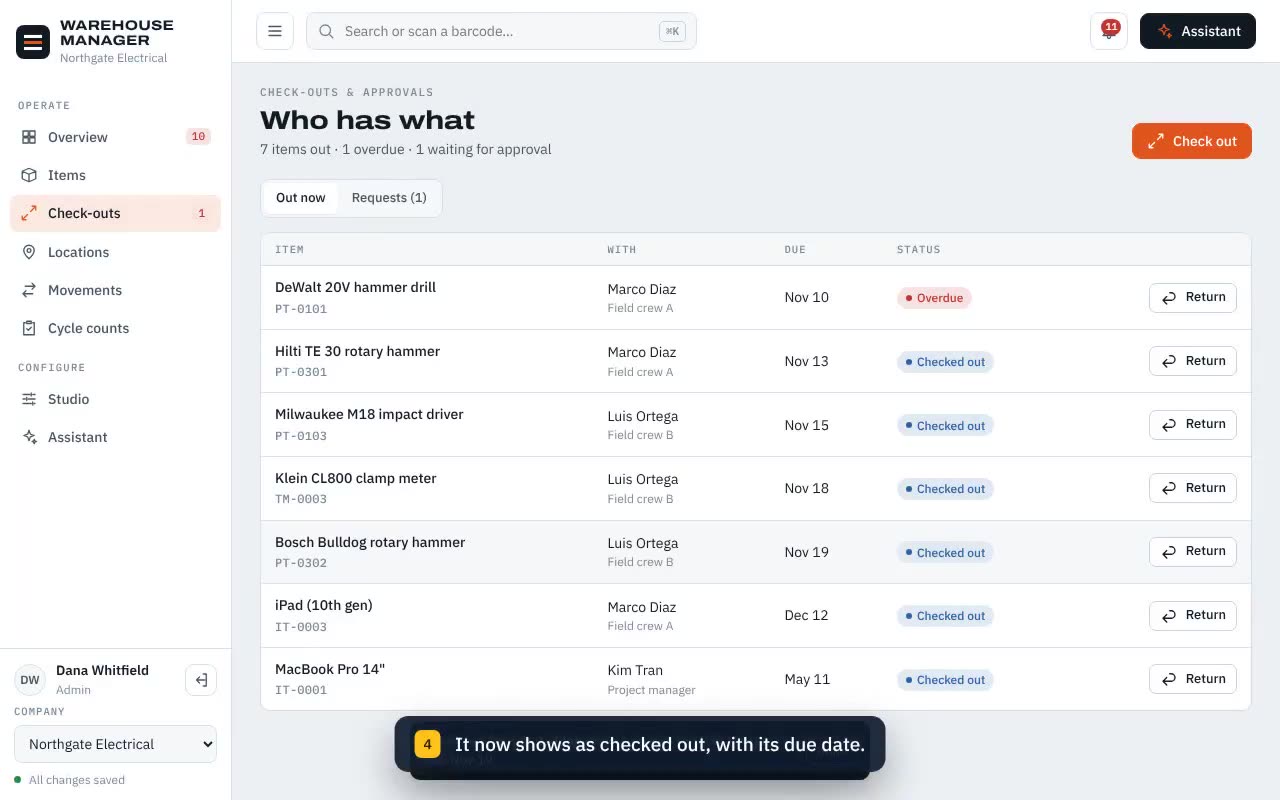
Hand a tool to someone with a due date, then return it.
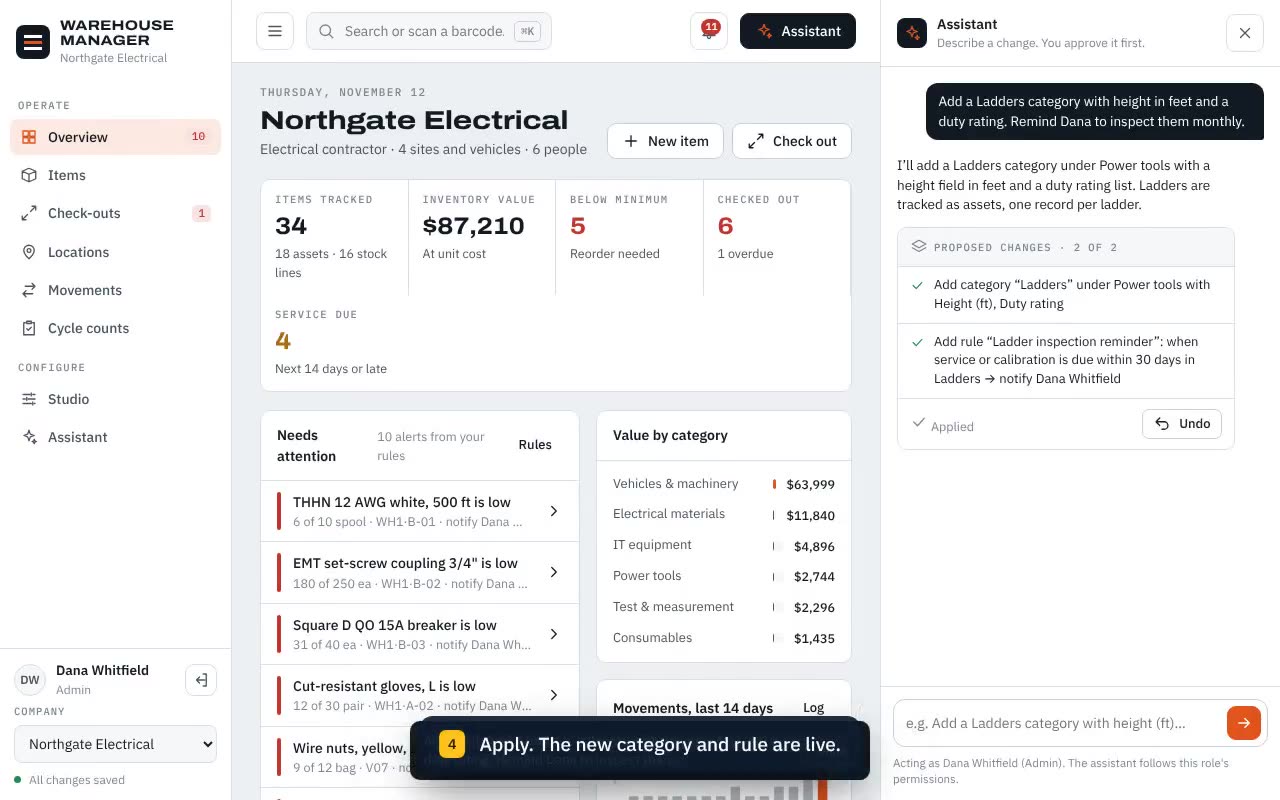
Describe a change, read the plan, apply or undo.
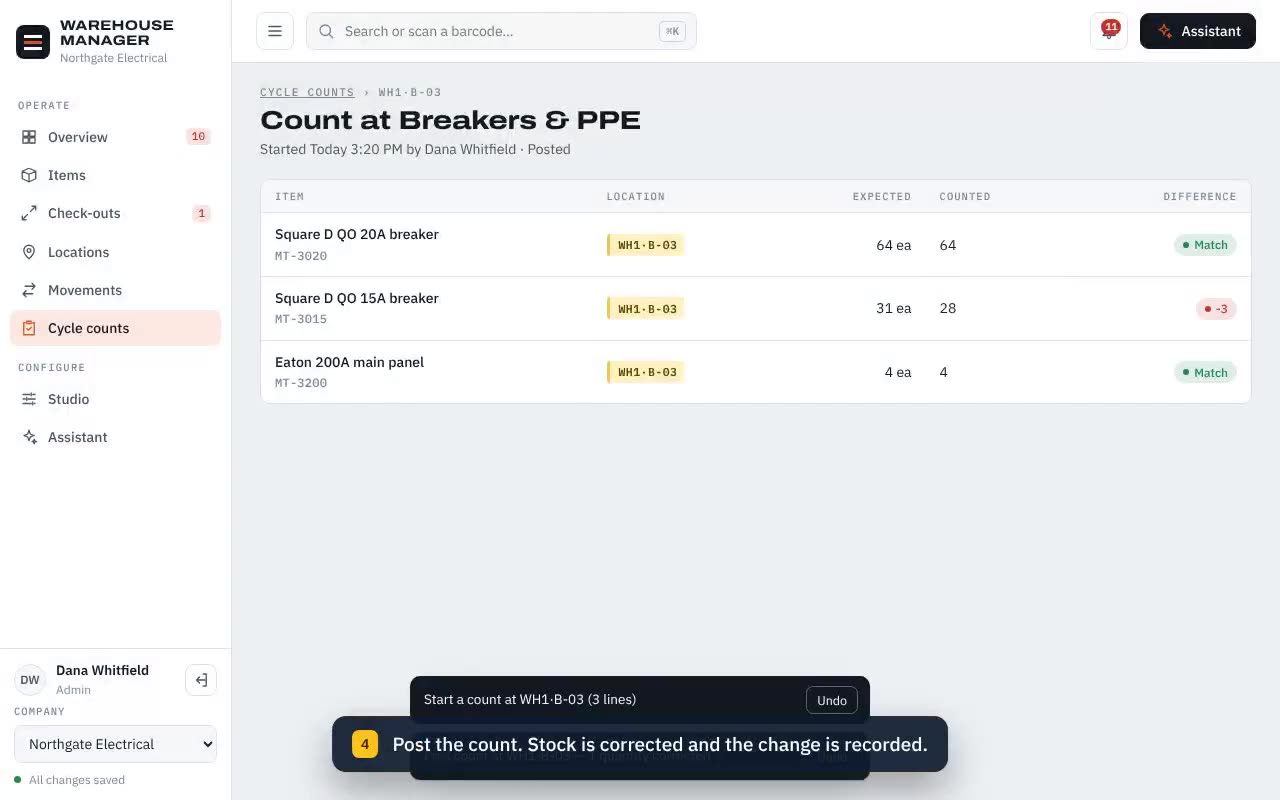
Enter what is on the shelf and post the differences.
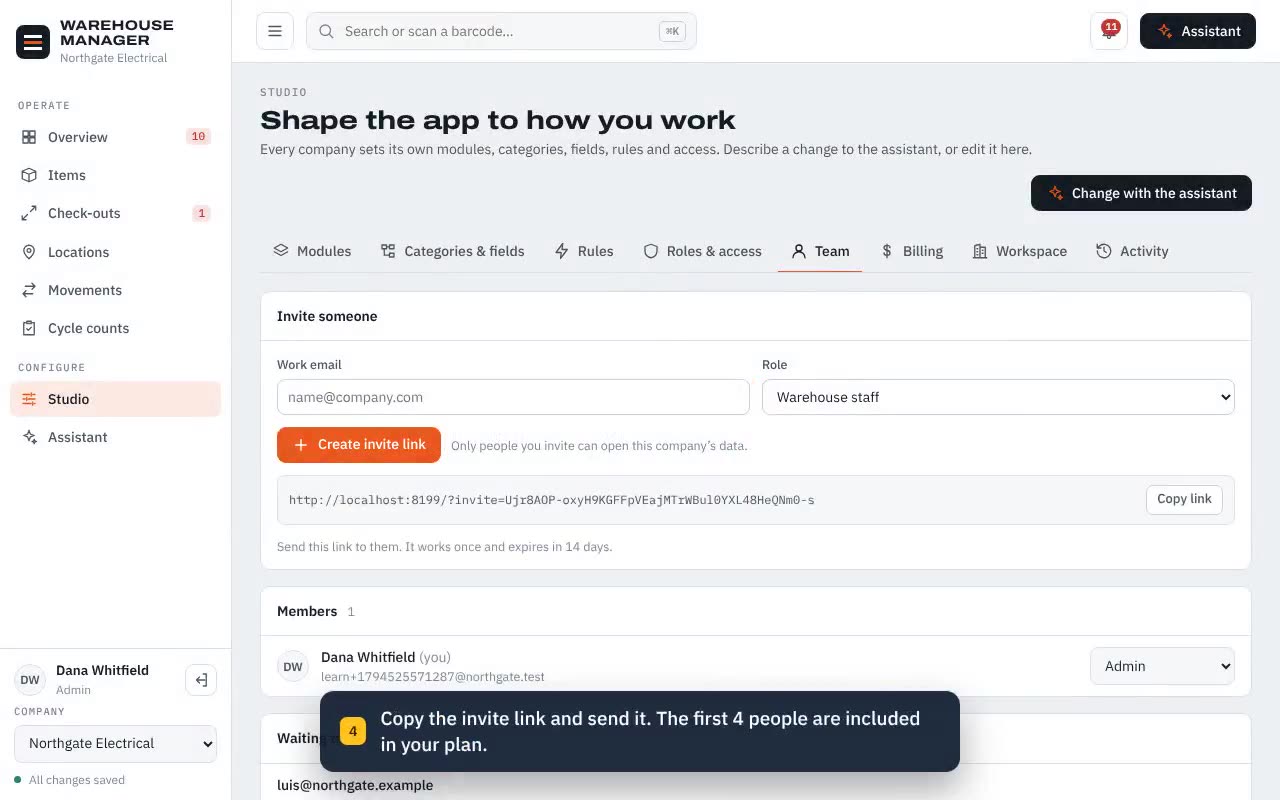
Create an invite link and choose what each person can do.
An assistant with house rules
It can rebuild your categories, write alert rules and change who can do what. So it works the way a careful foreman would.
Every request becomes a list of exact changes you read before anything is applied.
Warehouse staff can ask questions and move stock. Only admins can reshape the setup, with the assistant or without it.
Each change is logged with who asked for it, and one click puts things back.
Sales questions? 949-878-1122
One plan, priced by the size of your crew
Every feature and the AI assistant come with every account. You pay for people, not modules.
- $20 a month covers your company and up to 4 people
- $4 a month for each extra person, adjusted automatically
- Unlimited items, locations and sites
- 14 days free, no card to start, cancel any time
Every company gets its own building
Many systems keep every customer in one shared table. We give each company a dedicated database the moment it signs up, so your records never sit next to anyone else's.
- Only people your admins invite can open your company.
- The assistant only ever sees your company's data.
- If our support team opens your workspace to help, it's written into your own history with the reason.
- Hosted on Google Cloud in the United States, encrypted and backed up daily.
The loading dock
Get the app on every screen, find quick answers, or send us a note.
Common questions
Is the AI assistant really included?
Yes. Every company gets it at no extra cost, always within the permissions of the person asking.
Do I need a card for the free trial?
No. Sign up, invite your team and use everything for 14 days. If you subscribe during the trial, billing starts when it ends.
What happens when I add or remove people?
Your bill adjusts on its own. The first 4 people are in the $20 plan; each extra person adds $4 a month, prorated to the day.
Does it work with barcode scanners?
Any USB or Bluetooth scanner that types into a text box works today. The mobile apps add camera scanning.
Can I get my data out?
Any time. Admins can export the whole workspace, including history, as a file.

Sepehr Ghahremani is the founder, principal innovator, and lead developer of WHInventory. With more than 20 years of experience in information technology, he brings together technical development, systems thinking, and a business perspective to turn ideas into practical digital products.
Making assets and inventory easier to manage
Sepehr’s work on WHInventory brings an IT and systems perspective to the practical challenges of managing assets and inventory. Knowing what is available, where it is located, and how it moves between people and places requires information that is organized and easy to use. As the originator of the product concept and its lead developer, he focuses on connecting those everyday workflows in a clear, practical software experience.
Education & perspective
Sepehr has a background in computer science and holds an MBA. He has completed a DBA course and pursued professional education at MIT in data science and artificial intelligence. The DBA course and MIT professional education are not degree qualifications.